


ブラウザでブラックホール
~ブラックホールのブックマークレット~
ブラウザの「お気に入り」は
普通はページを開くためのものですが、
実は JavaScriptを登録すると小さなツールとして使うことができます。
こうした仕組みは ブックマークレット と呼ばれます。
今回は遊びネタとして、
ページにブラックホールを登場させるブックマークレット
を作ってみます。
クリックすると、
ページ内でブラックホールが次々と出現して周囲を吸い込みます。
仕組み:ブックマークレット(Bookmarklet)
ブックマークのURL欄に javascript: ... を入れておくと、
そのブックマークをクリックした瞬間に JavaScript が実行されます。
次の JavaScript を使います。長いですが 1行で書かれた JavaScript です。
JavaScript:
javascript:(()=>{const SID='bh_suck_style_v1';if(!document.getElementById(SID)){const s=document.createElement('style');s.id=SID;s.textContent=`.bh-hole{position:fixed;width:120px;height:120px;margin:-60px 0 0 -60px;border-radius:50%;pointer-events:none;z-index:2147483647;background:radial-gradient(circle at 35% 35%,rgba(120,120,255,.35),rgba(50,50,120,.18) 18%,rgba(0,0,0,.92) 40%,#000 62%,rgba(120,120,255,.18) 72%,rgba(0,0,0,0) 76%);box-shadow:0 0 22px rgba(120,120,255,.35),0 0 60px rgba(80,80,255,.18),inset 0 0 30px rgba(255,255,255,.08);animation:bhSpin 1.8s linear infinite,bhPulse .9s ease-in-out infinite alternate}.bh-hole:before,.bh-hole:after{content:"";position:absolute;inset:-14px;border-radius:50%;border:2px solid rgba(140,140,255,.18)}.bh-hole:before{transform:rotate(22deg) scaleX(1.18);animation:bhSpin 2.6s linear infinite reverse}.bh-hole:after{transform:rotate(-18deg) scaleY(.78);animation:bhSpin 1.9s linear infinite}.bh-core{position:absolute;left:50%;top:50%;width:44px;height:44px;margin:-22px 0 0 -22px;border-radius:50%;background:#000;box-shadow:0 0 24px rgba(255,255,255,.06),0 0 50px rgba(90,90,255,.25)}@keyframes bhSpin{to{transform:rotate(360deg)}}@keyframes bhPulse{from{filter:brightness(.95)}to{filter:brightness(1.15)}}`;document.head.appendChild(s)}const hole=document.createElement('div');hole.className='bh-hole';const pad=120;const hx=Math.max(pad,Math.random()*(window.innerWidth-pad*2)+pad);const hy=Math.max(pad,Math.random()*(window.innerHeight-pad*2)+pad);hole.style.left=hx+'px';hole.style.top=hy+'px';hole.innerHTML='<div class="bh-core"></div>';document.body.appendChild(hole);const all=[...document.body.querySelectorAll('img,svg,canvas,p,span,strong,em,b,i,a,li,dt,dd,h1,h2,h3,h4,h5,h6,button,label,small,code,pre,blockquote,td,th,div')].filter(el=>{if(el===hole||el.closest('.bh-hole'))return false;const cs=getComputedStyle(el);if(cs.visibility==='hidden'||cs.display==='none')return false;if(el.children.length>0&&!(el.tagName==='A'&&el.textContent.trim())){if(!['IMG','SVG','CANVAS'].includes(el.tagName)){const hasDirectText=[...el.childNodes].some(n=>n.nodeType===3&&n.textContent.trim());if(!hasDirectText)return false;}}const r=el.getBoundingClientRect();if(r.width<8||r.height<8)return false;if(r.bottom<0||r.right<0||r.left>window.innerWidth||r.top>window.innerHeight)return false;return true});const picked=[];for(let i=0;i<all.length;i++){const el=all[i];const r=el.getBoundingClientRect();const cx=r.left+r.width/2,cy=r.top+r.height/2;const d=Math.hypot(cx-hx,cy-hy);let chance=Math.max(.08,1-d/900);if(el.tagName==='IMG'||el.tagName==='SVG'||el.tagName==='CANVAS')chance+=.18;if(r.width*r.height>50000)chance*=.45;if(Math.random()<chance)picked.push(el)}picked.sort((a,b)=>{const ra=a.getBoundingClientRect(),rb=b.getBoundingClientRect();const da=Math.hypot(ra.left+ra.width/2-hx,ra.top+ra.height/2-hy);const db=Math.hypot(rb.left+rb.width/2-hx,rb.top+rb.height/2-hy);return da-db});picked.slice(0,90).forEach((el,i)=>{if(el.dataset.bhBusy==='1')return;el.dataset.bhBusy='1';const r=el.getBoundingClientRect();const cx=r.left+r.width/2,cy=r.top+r.height/2;const dx=hx-cx,dy=hy-cy;const spins=(Math.floor(Math.random()*4)+3)*(Math.random()<.5?1:-1);const dur=700+Math.hypot(dx,dy)*1.4+Math.random()*500;const old={transition:el.style.transition,transform:el.style.transform,transformOrigin:el.style.transformOrigin,opacity:el.style.opacity,filter:el.style.filter,willChange:el.style.willChange,position:el.style.position,zIndex:el.style.zIndex};el.style.willChange='transform,opacity,filter';el.style.transformOrigin='50% 50%';el.style.transition=`transform ${dur}ms cubic-bezier(.15,.7,.15,1), opacity ${dur}ms ease-in, filter ${dur}ms ease-in`;el.style.zIndex='2147483000';setTimeout(()=>{el.style.transform=`translate(${dx}px,${dy}px) rotate(${spins*360}deg) scale(0.03)`;el.style.opacity='0';el.style.filter='blur(2px)'},20+i*18);setTimeout(()=>{el.style.transition='none';el.style.transform=old.transform;el.style.opacity=old.opacity;el.style.filter=old.filter;el.style.transformOrigin=old.transformOrigin;el.style.willChange=old.willChange;el.style.zIndex=old.zIndex;el.dataset.bhBusy='0';setTimeout(()=>{el.style.transition=old.transition},30)},dur+700+i*18)});setTimeout(()=>{hole.style.transition='transform 600ms ease,opacity 600ms ease';hole.style.transform='scale(.2)';hole.style.opacity='0';setTimeout(()=>hole.remove(),650)},2400)})();
手順:
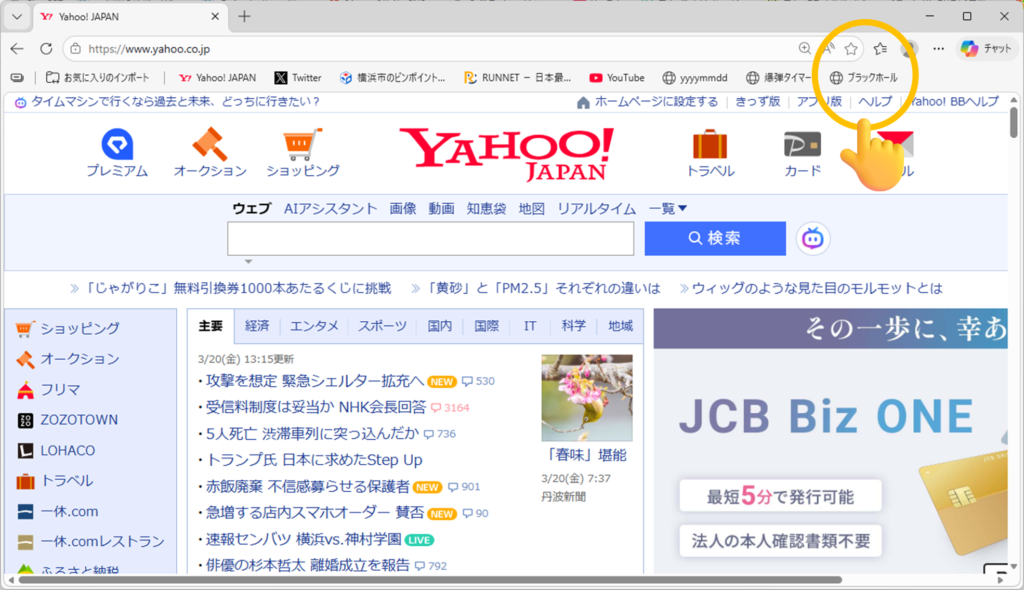
① どんなページでもいいので、いったんお気に入りに登録する。
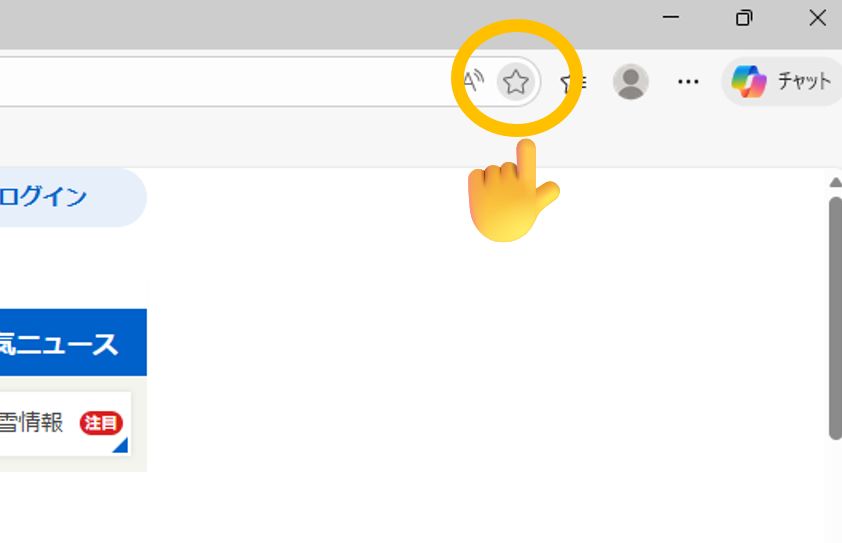
② 登録したお気に入りを右クリックして、「編集」をクリック。
③ 先ほど紹介した JavaScript をコピーする。
④ 名前を「ブラックホール」にして、U」にして、URL欄に JavaScript を貼り付ける。
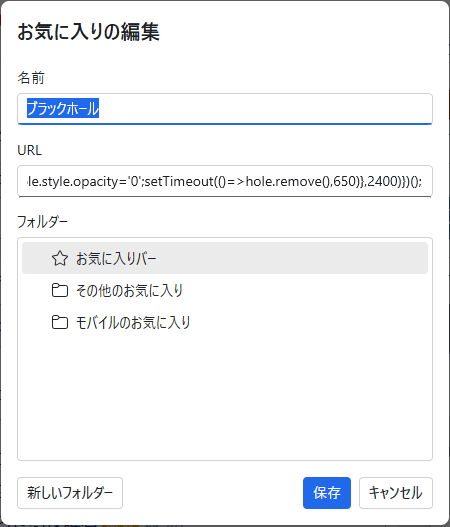
これで完成です。
たとえば、Yahooページでお気に入りをクリックすると…
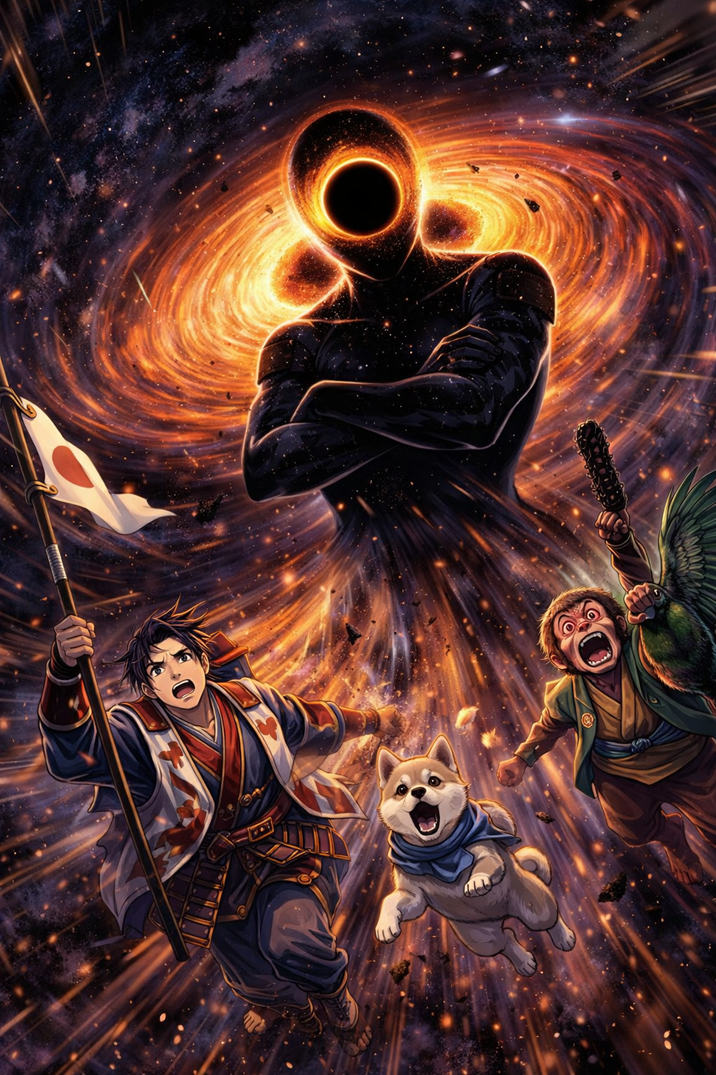
ブラックホールがどんどん吸い込みます!!
動画:


コメントを残す